
Tesla charging history
Tesla charging history: sessions, energy and cost in one timeline
Tesla already provides charging-history views today. DriveQuery’s combined charging-and-trip timeline is an early-access feature being built to keep individual sessions, places, energy and cost basis together when the required Tesla data is available.
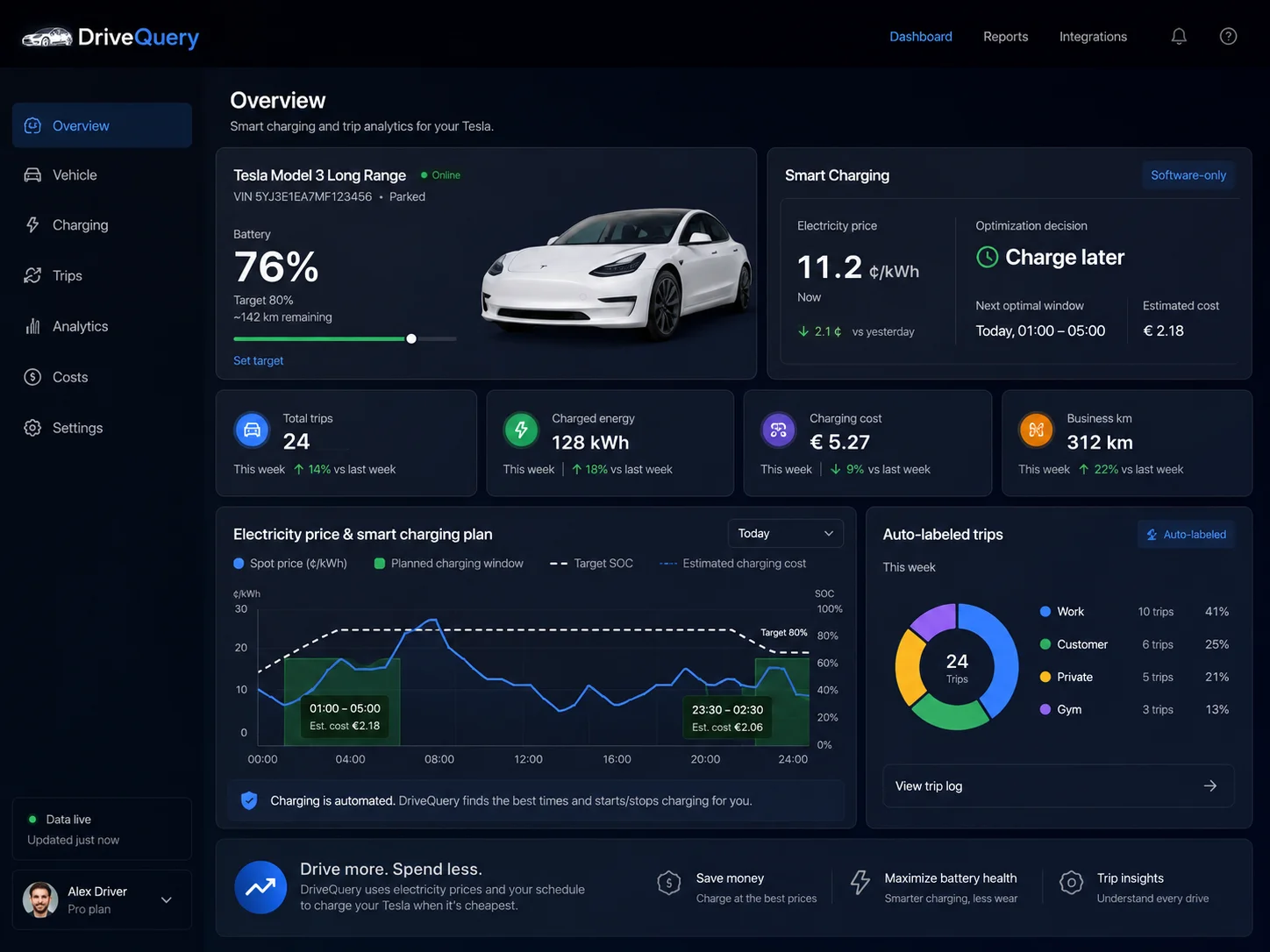
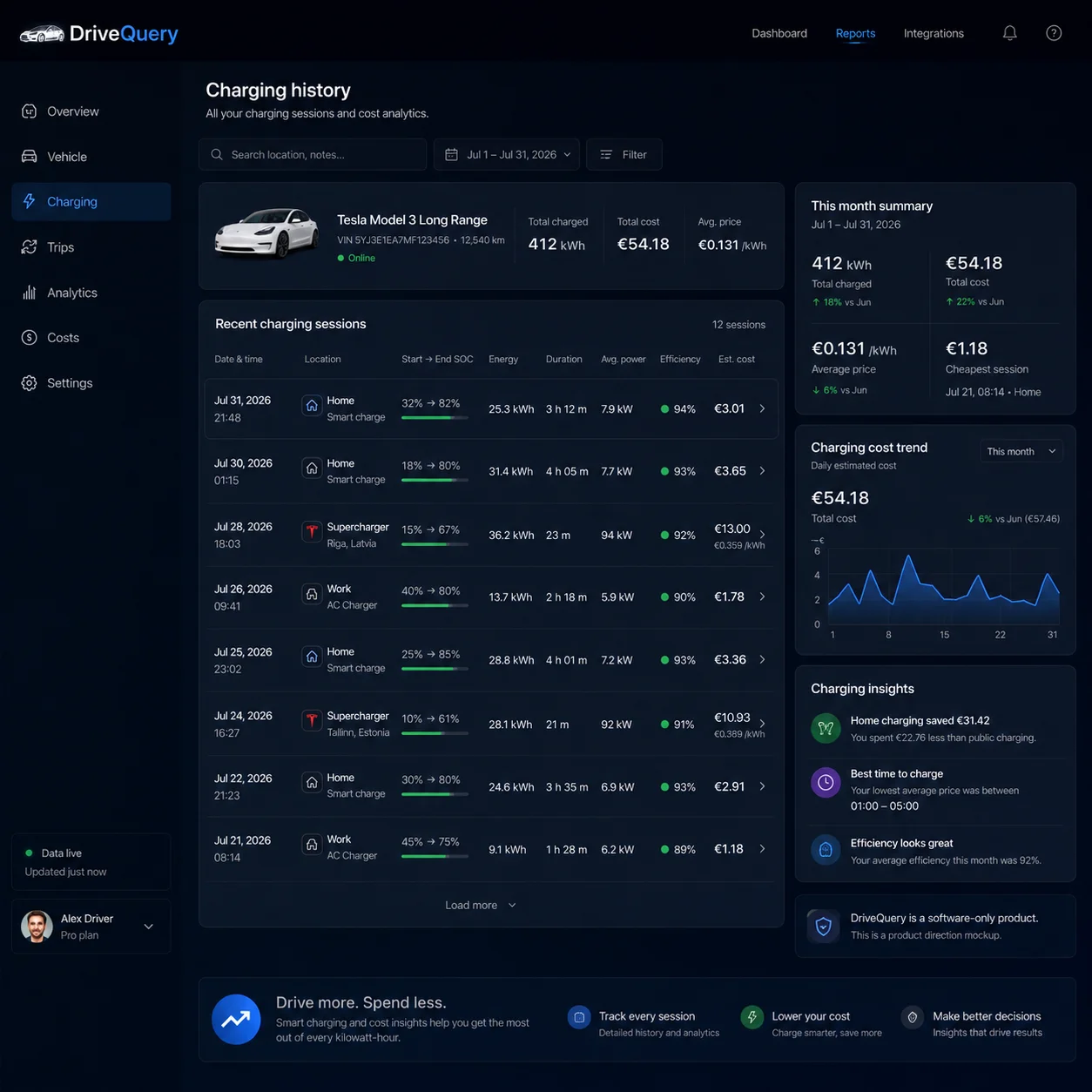
Tesla charging history is useful when it answers more than “how much did I charge?”. A practical record connects individual charging sessions with location, energy, cost context and the driving that followed. DriveQuery is being built around that session-level view.
What Tesla already shows in charging history
Tesla already provides useful charging information in the Tesla app. Vehicle Charge Stats shows charging history over a selected period, including energy charged, estimated spend and a breakdown by charging-location type. A registered Wall Connector can also show a list of charging sessions, while Supercharging history is available separately in the charging area of the app.
| Charging view | Good for | What DriveQuery adds |
|---|---|---|
| Tesla Charge Stats | Energy, estimated spend and location-type trends | Session context linked with trips and user-defined places |
| Wall Connector history | Charger-side sessions, duration and delivered kWh | Vehicle-centred history across more than one charging source |
| Supercharging history | Tesla charging transactions and billed sessions | One timeline alongside home and other charging |
| DriveQuery history | Planned session-level vehicle record | Trips, locations, tariff context, analysis and export in one workflow |
The point is not to replace information Tesla already provides. It is to make charging sessions easier to connect with the rest of the vehicle record.
A readable charging-session timeline
A useful timeline should make it easy to answer when charging started, where it happened, how much energy was involved and how the session relates to recent driving. Available fields depend on the vehicle and charging data made available through the connected Tesla services.
That session view is especially useful when a monthly total looks unusual. Instead of seeing only a number for the month, you can work back through the individual sessions that created it.
Home, public and Supercharger charging tell different stories
Home charging is usually about tariff timing and repeatable overnight behaviour. Public charging may involve several networks and prices. Supercharging has its own transaction history. Treating every kWh as if it came from the same place hides useful information.
- Home: connect session timing with the electricity tariff that applied.
- Public: keep the location and cost basis visible where available.
- Supercharger: keep billed charging distinct from home-cost estimates.
Want to model the price first? Use the Tesla charging cost calculator →
Add electricity-price context without hiding the assumptions
For home charging, energy alone does not tell you the cost. A fixed tariff, time-of-use tariff and dynamic tariff can produce very different results for the same number of kWh. DriveQuery is designed to keep the price basis attached to the session so an estimated cost can be understood later.
See how a Tesla charging schedule can use cheaper periods →
Charging history becomes more useful beside trip history
Charging and driving are two halves of the same running-cost record. When a long journey is followed by a large charging session, the relationship is obvious. Over weeks or months, linking the two makes it easier to understand energy use, cost per mile, charging habits and whether a tariff change is actually helping.
See the Tesla trip history side of the record →
Charging history, cost tracking and export are different jobs
| If you want to… | Best DriveQuery page |
|---|---|
| Review charging sessions and patterns | Tesla charging history — this page |
| Calculate charging prices before or after a session | Tesla charging cost calculator |
| Track cost per individual charging event | Tesla charging cost tracker |
| Move charging data into CSV or PDF | Tesla charging history export |
| Prepare an employer home-charging record | Tesla home charging reimbursement |
Planned DriveQuery charging-history view
- Charging sessions and energy added
- User-defined location labels
- Home, public and Supercharger context
- Time-of-use or dynamic price basis
- Estimated home charging cost
- Charging totals by period
- Links between driving and charging
- Structured export for deeper analysis
Frequently asked questions
Can I see Tesla charging history in the Tesla app?
Yes. Tesla provides several charging-history views. Charge Stats shows vehicle charging trends over a selected period, registered Wall Connectors can show charger session history, and Supercharging history is available in the charging area of the Tesla app.
Does Tesla charging history show cost?
Charge Stats can show estimated charging spend when pricing is configured. Supercharger sessions have transaction pricing. Home charging should be treated as an estimate unless the tariff and measurement basis behind the number are clear.
What is the difference between charging history and a charging-history export?
Charging history is designed to review sessions and patterns on screen. An export turns that record into reusable data such as CSV or a shareable report such as PDF.
Can charging history be linked with Tesla trip history?
That is a core DriveQuery design goal: keep charging sessions and driving records close enough that energy, distance, locations and costs can be analysed together.
Official Tesla sources
- Tesla UK: Understanding Charge Stats
- Tesla UK: Wall Connector charging history
- Tesla UK: Supercharging history and pricing
Need the data outside the app? See Tesla charging history export →
A clearer record of every drive.
Join the waitlist and help shape the first version.
Charging cost tracking by session: methods and examples
What should a Tesla charging cost tracker actually track?
The headline number is simple: how much did charging cost? The hard part is making that number explainable. A Tesla can be charged at home overnight, at home during an expensive peak period, at work, at a Supercharger and at third-party public chargers in the same week. Those sessions can use completely different price rules.
A good tracker therefore does not begin with one average price per kWh. It begins with the charging event and keeps enough context to calculate or verify the cost later.
| Field | Why it matters |
|---|---|
| Date and time | Determines the correct tariff period and makes the event easy to find later. |
| Energy charged | Provides the kWh basis for energy-based pricing. |
| Charging location | Separates home, work, Supercharger and other public charging. |
| Price basis | Explains whether the amount used a flat rate, time-of-use rate, dynamic market price or billed session price. |
| Estimated cost | Gives a usable cost where a final invoice is not available. |
| Billed cost or fees | Lets a real Supercharger or public-network charge override an estimate when available. |
| Period total | Turns detailed history into weekly, monthly or custom-range reporting. |
DriveQuery is being designed around this structure: keep the charging event first, then attach the relevant cost context. That is more useful than a number that looks precise but cannot be traced back to the session that produced it.
Tesla already has Charge Stats — where does a separate tracker help?
Tesla's Charge Stats is already useful. Tesla says the graph can show Total Charged or Total Spent, and charging is colour-coded by location type. Home rates can be configured, including time-of-use periods, while Work and Other locations can use configured or estimated rates.
That answers the broad question well: roughly how much energy and money went into charging over a selected period? A separate tracker becomes useful when you want to keep the underlying sessions, price assumptions and billing evidence together for longer-term analysis or reporting.
- Session-level traceability. Tesla states that charging in Charge Stats is aggregated by charging-location type for each day. A session ledger keeps individual events separate.
- Mixed evidence. Home charging may be an estimate from your electricity tariff while a Supercharger session has a final Tesla invoice.
- Dynamic tariffs. The relevant price can change by hour or quarter-hour, so the charging timestamp matters.
- Custom reporting. A tracker can build month, quarter or employer-reporting periods from the same underlying history.
If a charging network gives you a final billed amount, keep that billed amount. Use tariff-based calculations where the session itself is not separately invoiced.
How charging cost is calculated session by session
For a straightforward energy tariff, the basic calculation is:
Example: 36.8 kWh × £0.08/kWh = £2.94.
The important phrase is applicable price. A charge that began at 01:15 on an off-peak tariff may have a different cost from an otherwise identical charge at 18:15. On a dynamic tariff, one long charging session may even span several price intervals.
For that reason, a tracker should retain the time and price context rather than store only the final amount. If the electricity tariff changes later, old sessions should still show the basis that was used at the time.
Flat, time-of-use and dynamic tariffs need different logic
Flat tariff
The simplest case. Multiply the relevant kWh by one price, while still keeping standing charges or other household costs separate unless your accounting method explicitly includes them.
Time-of-use tariff
Cheap and expensive periods are predefined. The tracker needs to know when the charging happened, not just how many kWh were added.
Dynamic tariff
The energy price changes with the market. Matching consumption to the correct hour or quarter-hour is more accurate than applying the day's average price.
Solar or home battery
Calling solar energy “free” may be convenient, but the economic cost can depend on lost export revenue, battery use and your own accounting method. Keep the assumption visible.
If your goal is not only to track the price but actively move charging into cheaper periods, see the Tesla dynamic-tariff charging guide and smart charging guide.
Third-party public charging needs a fallback hierarchy
Public charging outside Tesla can be messy. Networks can bill by kWh, by minute, with a connection fee, through a membership plan or with roaming mark-ups. The amount first shown by the charger may not even be the final settled amount.
A practical tracker can use a simple hierarchy:
- Final invoice or receipt when available.
- Known session tariff if the final billed amount is unavailable.
- Estimated tariff only when nothing stronger exists — and clearly label it as an estimate.
This preserves a single charging history without pretending all sources have the same accuracy.
A real example: one week, four different price bases
Consider an illustrative week. The rates below are examples, not current market prices.
| Charge | Energy | Price basis | Cost |
|---|---|---|---|
| Home, Monday night | 31.4 kWh | £0.08/kWh off-peak | £2.51 |
| Home, Thursday evening | 18.2 kWh | £0.29/kWh peak | £5.28 |
| Supercharger, Saturday | 42.6 kWh | Final Tesla transaction | £19.30 |
| Public charger, Sunday | 16.8 kWh | Receipt including session fee | £11.10 |
| Week | 109.0 kWh | Mixed | £38.19 |
A single average rate would give you the £38.19 headline, but it would hide the useful part: only 17% of the week's energy was taken at the expensive public charger, yet that session represented almost 30% of the spend. That is the kind of pattern a cost tracker should make obvious.
What DriveQuery is being built to do
DriveQuery's charging cost tracker is being designed to keep the source data visible rather than replace it with a black-box number. The intended flow is simple:
- Detect and record the charging session.
- Keep the energy, time and location context.
- Apply the most relevant price basis available.
- Keep billed and estimated amounts distinguishable.
- Roll sessions into weekly, monthly and custom-period totals.
- Let you open the total back into the sessions that created it.
The same history can then support budgeting, charging-history export, employer reporting and smarter charging decisions without maintaining a separate spreadsheet for each reporting need.