Business mileage
Every drive starts as evidence, not memory.Capture date, distance and route context from the vehicle. Review business, commute or personal use and add the purpose that only you know.

Built for Tesla drivers in the US
DriveQuery turns authorized Tesla vehicle data into trips you can review, mileage records you can use for business, charging costs you can explain and charging plans that follow your utility rate.
Early access will open gradually. Free rolling history is planned at launch; advanced reporting and automation are planned for Smart.
Electricity map
Compare available electricity production, consumption and cross-border power flows across supported regions.
Tesla Trip Planner
Calculate the road route, Tesla-specific energy use, charging stops, charging time and battery at arrival.
Planning another EV? Open the EV route planner →
One Tesla. Three jobs.
DriveQuery is not another generic dashboard. It is designed around the records and decisions Tesla drivers repeatedly rebuild by hand.
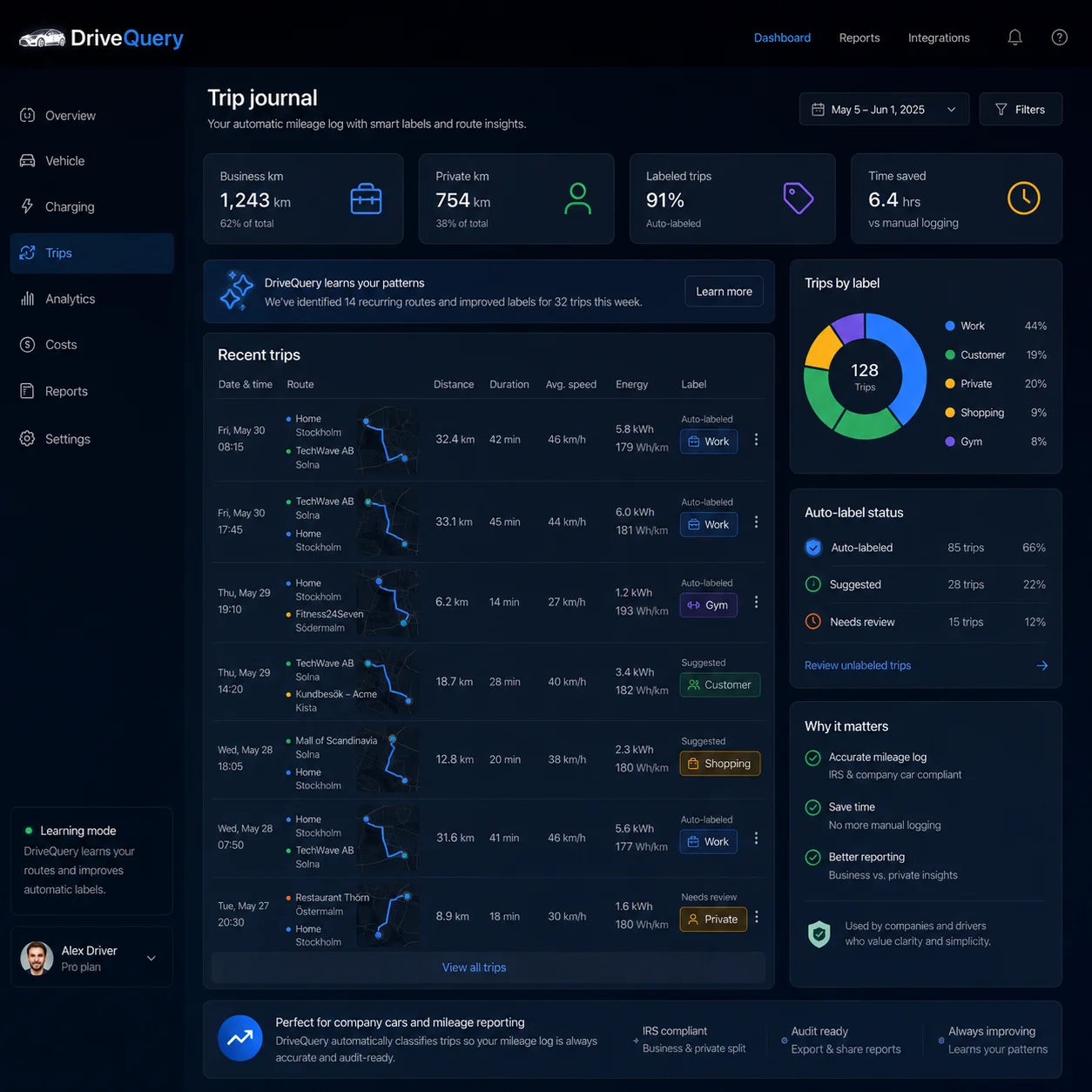
Capture date, distance and route context from the vehicle. Review business, commute or personal use and add the purpose that only you know.
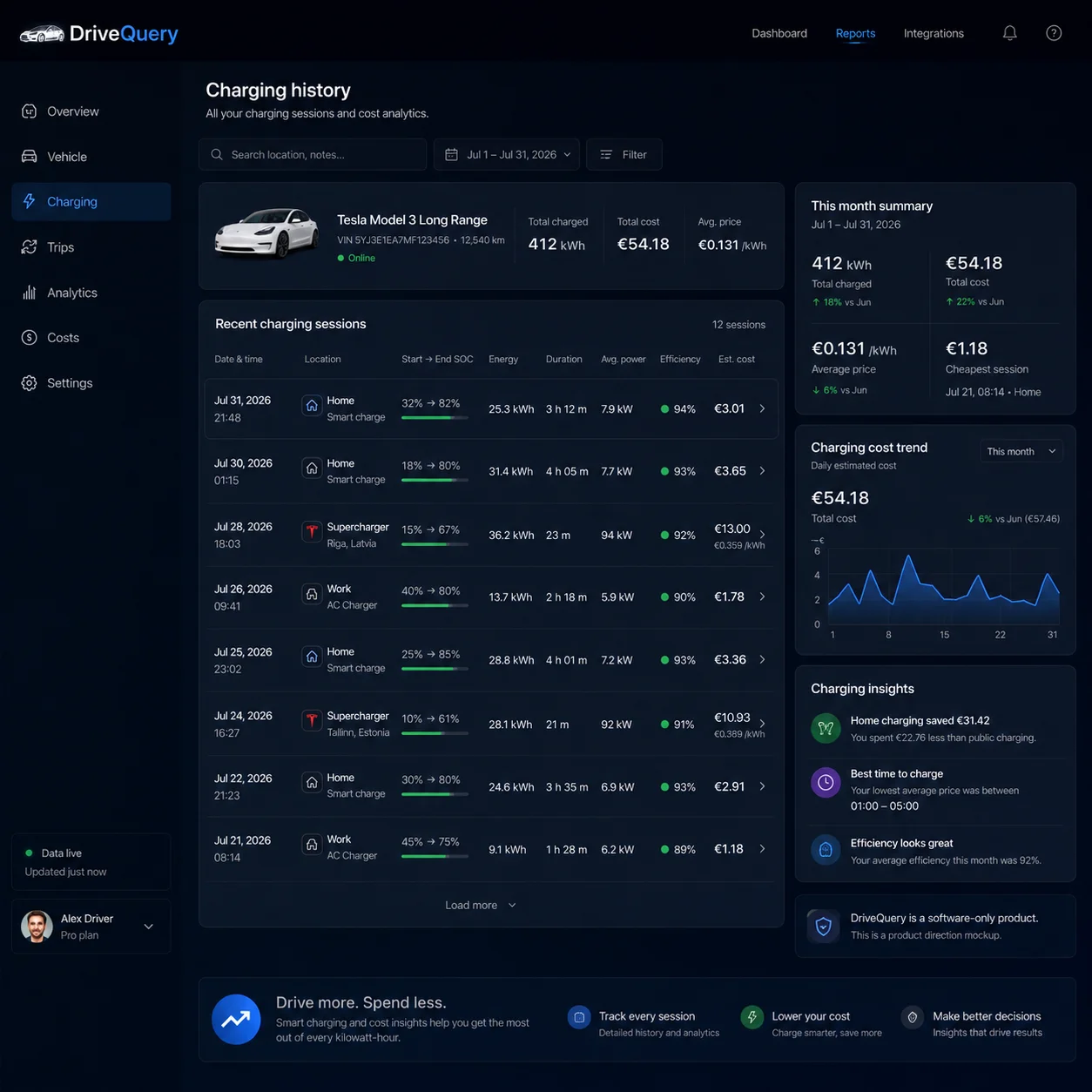
Keep kWh, location, rate basis and cost together so home estimates stay distinct from billed Supercharger costs.
Keep routes, places, mileage, labels and review status together — then export the period you actually need.
Product preview
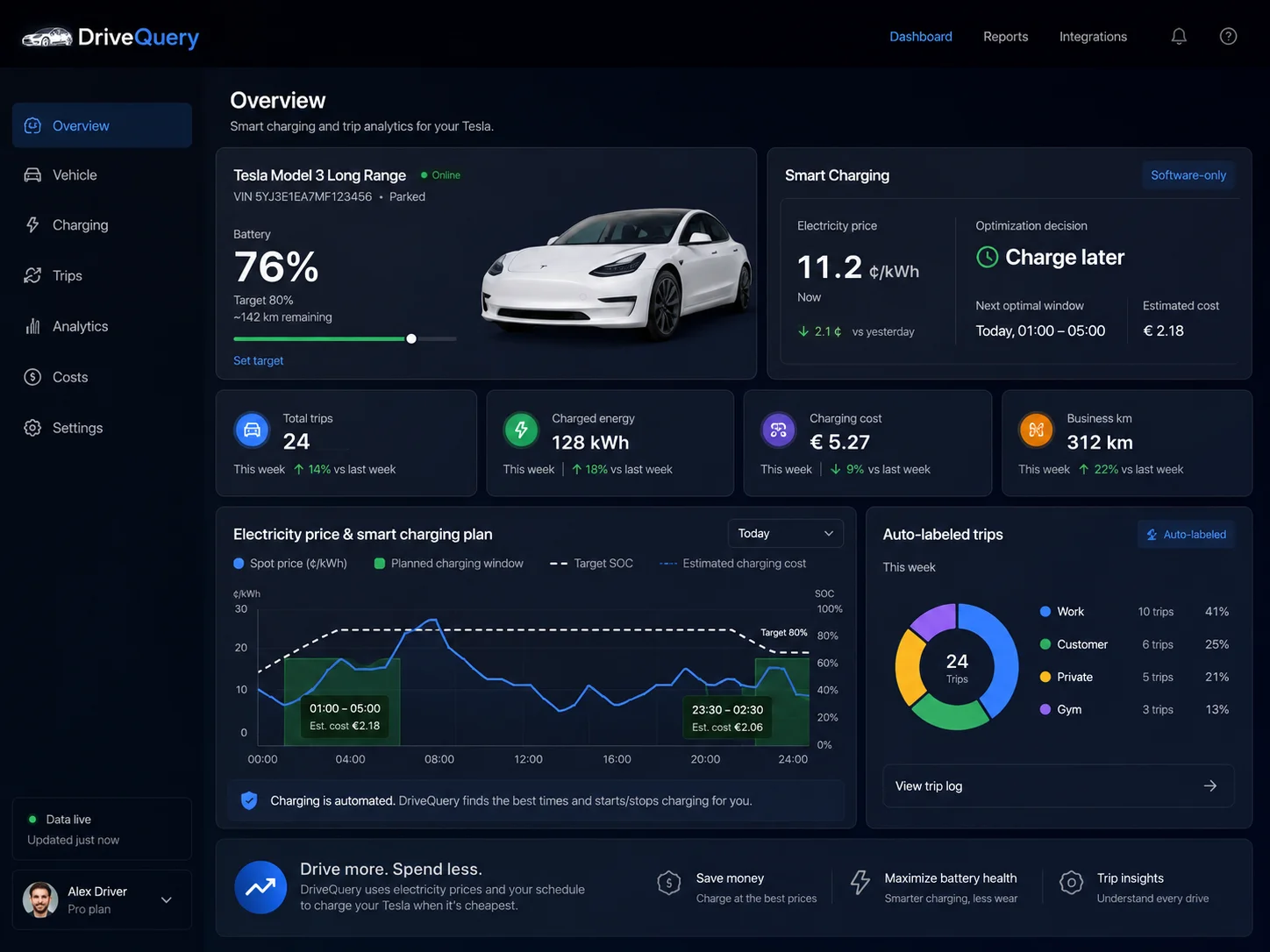
DriveQuery keeps trip context, mileage review and charging history close enough to answer the practical questions that sit between them.
Built around US realities
DriveQuery keeps both attached to the underlying vehicle record instead of asking you to recreate the context later.
The IRS business standard mileage rate is 72.5¢/mile for Jan. 1–Jun. 30, 2026 and 76¢/mile from Jul. 1–Dec. 31. Dated trips matter when the rate changes mid-year.
Tesla already supports utility rate plans and time-of-use periods in Charge Stats. DriveQuery adds a vehicle-centered workflow for session history, cost context and rate-aware charging decisions.
2026 mileage rates: IRS. Utility-rate and time-of-use functionality: Tesla Charge Stats.
Why DriveQuery feels different
DriveQuery is built around authorized Tesla data. You do not need to install another tracking box just to start building a trip record.
The vehicle can provide trip facts. It cannot know why you visited a customer, whether a drive is deductible or how your company wants it classified.
Review once, keep the correction with the source record and export later instead of fixing a separate spreadsheet every month.
How it works
The aim is not to make you manage more data. It is to make the recurring admin smaller each week.
Authorize the data DriveQuery needs through Tesla's account flow.
Trips, mileage context and charging events build the underlying timeline.
Confirm labels, business purpose and anything ambiguous instead of letting software guess.
Export mileage, analyze charging cost or let Smart plan charging around cheaper eligible rate periods.
Start with the question you have today
Utility rates
Check TOU peak/off-peak hours and fit your EV charging into the lowest-cost window before departure.
Check TOU hours →ScheduleWhere did Tesla Scheduled Departure go?Current Schedule controls + latest-start calculator MileageWhat is the IRS mileage rate in 2026?72.5¢ first half, 76¢ second half MileageHow much mileage reimbursement is that?2026 split-rate calculator by trip date TaxesStandard mileage or actual expenses?Method choice and recordkeeping HistoryWhere did my Tesla go?Past routes, places and context Road tripsHow many charging stops will this Tesla trip need?Route distance, energy, charging time, cost and fast-charger candidatesBatteryWhat would a Tesla battery replacement mean for me?Warranty time + miles, health-test context and repair exposurePlanned launch model
Free is planned for recent history and everyday review. Smart is planned for longer history, advanced reporting and rate-aware automation. Final US Smart pricing will be published before paid launch.
Join early access and help shape DriveQuery for Tesla drivers in the US.